How to install mods
How to install BeamNG.drive mods: subscribe in the Repository, install ZIP mods manually, use the Mods Manager and fix a mod that doesn't show up.You can find community mods for the game in the Official Repository and on the Official Forum.
Always exercise caution when downloading files from the Internet.
Make sure you use up-to-date antivirus software, and be extremely cautious, specially when browsing websites that you don’t trust.
Mod Installation can be done in either manual or automatic mode.
Automatic installation
The BeamNG.drive Repository allows for mods to be installed automatically via the in-game mod manager, or via dedicated buttons located on the repository website.
In-game Repository
- Open the in-game Repository from either the Main Menu or the Sidebar Menu

- Search for a mod to install. It is possible to filter for a specific category, and also view some statistics such as Ratings and Dates
Check the date on the mods! Old mods could be outdated and/or broken, and cause issues if enabled!
- To download a mod click the Subscribe button on its page. Once downloaded the mod will be automatically activated and ready to use.
Subscribing to a mod allows you to receive automatic updates when the author of the mod makes changes.
Web Repository
- Access the web version of the repository: https://www.beamng.com/resources/
- Find a mod to download. On its page you will find these buttons on the top-right corner
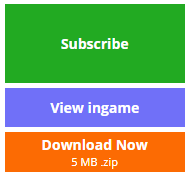
- Subscribe: will open the game, subscribe and download the mod
- View ingame: will open the game and display this mod in the in-game repository
- Download Now: will download the mod via your browser. Needs to be installed using the Manual Installation method
Manual installation
Downloaded a mod as a ZIP file from a website or the forum? See How to install mods manually.
Mods Manager
Installed mods can be managed through the in-game Mods Manager:

From here you can Update, Enable/Disable mods, as well as manage individual mods from the list:
How to use mods
Using your new, freshly installed mods is quite easy! Every mod type will appear in their relative selector, for example:
- Level mods will appear in the
level selector - Scenario mods will appear in the
scenario selectormenu - Vehicle mods (including configurations mods) will appear in the
vehicle selectormenu - Vehicle part mods will appear in the
vehicle configurationmenu - Livery will appear under
vehicle configuration→Paint Designtab
Mod does not show up
A mod you installed is nowhere to be found? See Installed mod does not show up.
Was this article helpful?