Game crashed: submitting a crash report
BeamNG.drive crashed and shows a crash reporter window asking to send an automated report? What the crash report is and what happens after you submit it.This article is part of How to report issues.
If the game crashes, you may be prompted to submit an automated report:
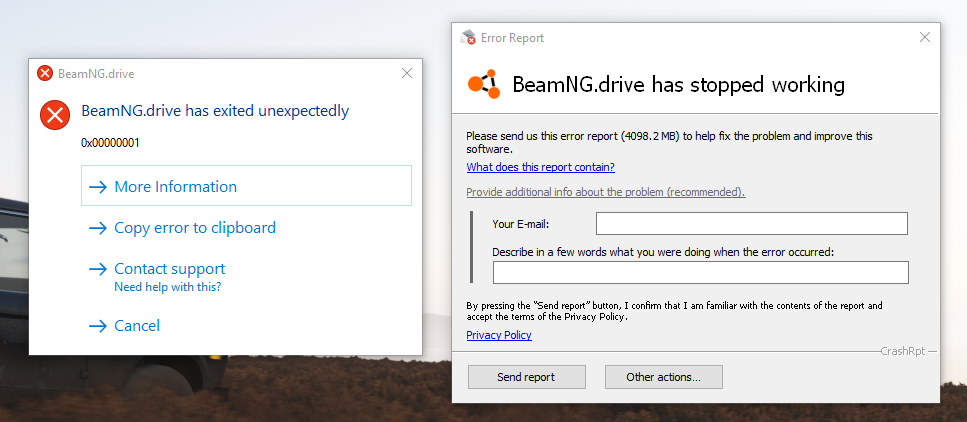
Crash reports are sent directly to the development team. Please keep in mind that you will not receive feedback on these reports. all logs are processed internally, and any potential solutions will be deployed in the upcoming releases.
Last modified:
October 6, 2026
Was this article helpful?
More in “Crashes and freezes”
All articles →
Crashes after an updateBeamNG.drive crashes, freezes or won't load a map after an update? Check Known Issues, try Safe Mode, clear the cache, verify game files and send us logs.
UI errors: Unresponsive UI, UI LoadingBeamNG.drive shows Unresponsive UI Process / UI has stopped responding, or hangs on a black screen with UI Loading? Fix incompatible software and mods.
Crash caused by IP-hiding softwareGame crash with HMIPCore64.dll, SafeIPs64.dll or ICProxy64.dll in the details? Caused by IP-hiding/VPN tools Easy-Hide-IP, SafeIP or Identity Cloaker.
Crash with EZFRD64.dllBeamNG.drive crashes with EZFRD64.dll in the details? It comes with MotionJoy, some cheap steering wheel drivers and Mayflash drivers. How to remove it.
Lavasoft warning / 32-bit modeBeamNG.drive warns about Lavasoft, shows a black UI, hangs on Waiting UI or runs in 32-bit mode with out of memory errors? Remove LavasoftTcpService64.dll.