How to update the Humble Bundle version of BeamNG.drive
How to update the DRM-free Humble Bundle version of BeamNG.drive: download the whole game again, or redeem the Steam key. Claim your download page.This article is part of Updating the game.
Humble Bundle
When you purchase the game on Humble Bundle, you receive an email from the Humble Bundle store.
The link will bring you to a page that looks like this:
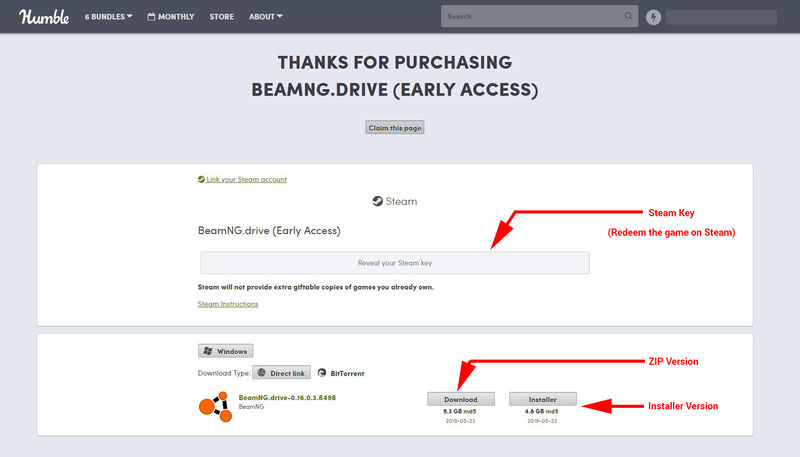 Personal download page at Humble Bundle
You have two choices:
- Redeem the Steam Key (instructions here)
- Download the game from Humble Bundle
If you choose to download the game from Humble Bundle, you will have to download the entire game each time an update is out.
It may take a while for us to push the update on the Humble Bundle platform. If you download the game but its still at the older version, please try again later (usually a few hours to 1 day)
If you lost the original Humble Bundle email, see I lost the link to my Humble Bundle download page.
Claim the download to your Humble Bundle account
This is not required, but will make it easier to find your Humble Bundle downloads in the future.
- Create a Humble Bundle account, if you don’t have one already (it’s free)
- Once done, go back to your personal download page and click the Claim this page button
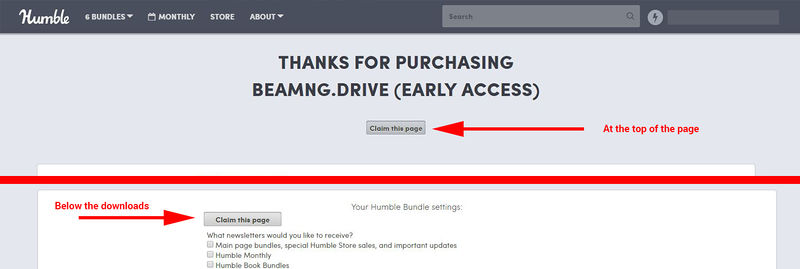 Claiming the page
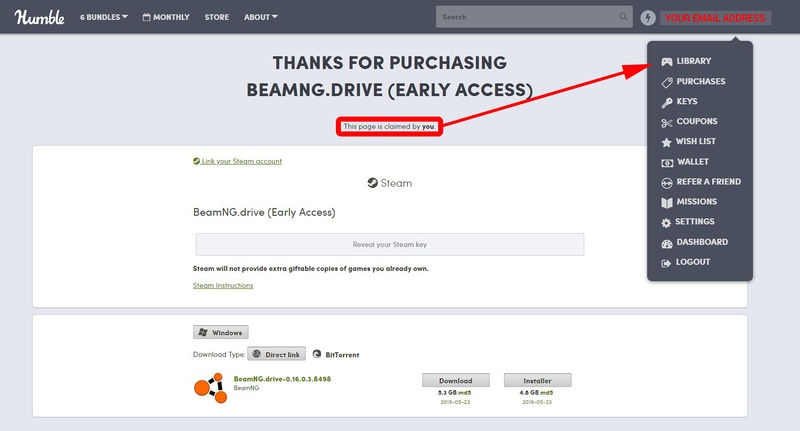
 - Once done, you will be able to access your downloads from your Humble Bundle account’s Library menu.
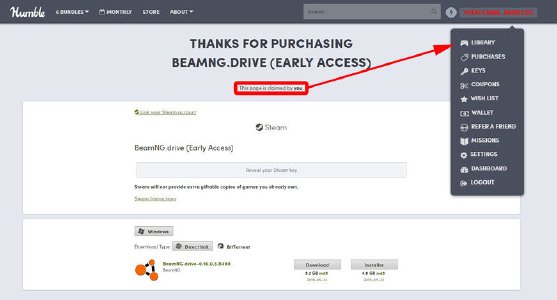 Once claimed, you can access the download from the Library menu
Still not working?
If you encounter any issues with your order, please contact us via the support form.
Last modified:
October 6, 2026
Was this article helpful?
More in “Updating the game”
All articles →
Not updating on SteamBeamNG.drive not updating to the latest version on Steam? Restart Steam, leave the Beta branch, and fix the Steam Disk Write Error.
Updating on Epic Games StoreUpdating BeamNG.drive on the Epic Games Store: the Epic Games Launcher keeps the game up to date automatically as soon as a new update is released.
Older game version (DX9 / DX10)Graphics card doesn't support DirectX 11? Switch BeamNG.drive to the old 0.4.0.6-dx9 or 0.14.0.5-dx10 version in the Steam Betas tab, no access code needed.